For readers with more newsletters than mornings
Keep the articles. Leave the packaging.
Make a Readplace address for each newsletter and point the newsletter at it. When an issue lands, the article links in it are saved to your readlist, read into a clean copy and summarised. The sponsor slots, menus and unsubscribe links stay behind.
Newsletter addresses come with the paid plan. Every new account has it for 14 days, no card.
How an address works
Three steps, set up once per newsletter.
-
1
Make an address for one newsletter
Name it after the source, and Readplace adds 6 random characters, so TLDR becomes something like tldr-a7b2c9@read.place.
-
2
Point the newsletter at it
Subscribe with the address, or forward the issues you already get. The address doesn't touch your inbox.
-
3
Read the articles, not the email
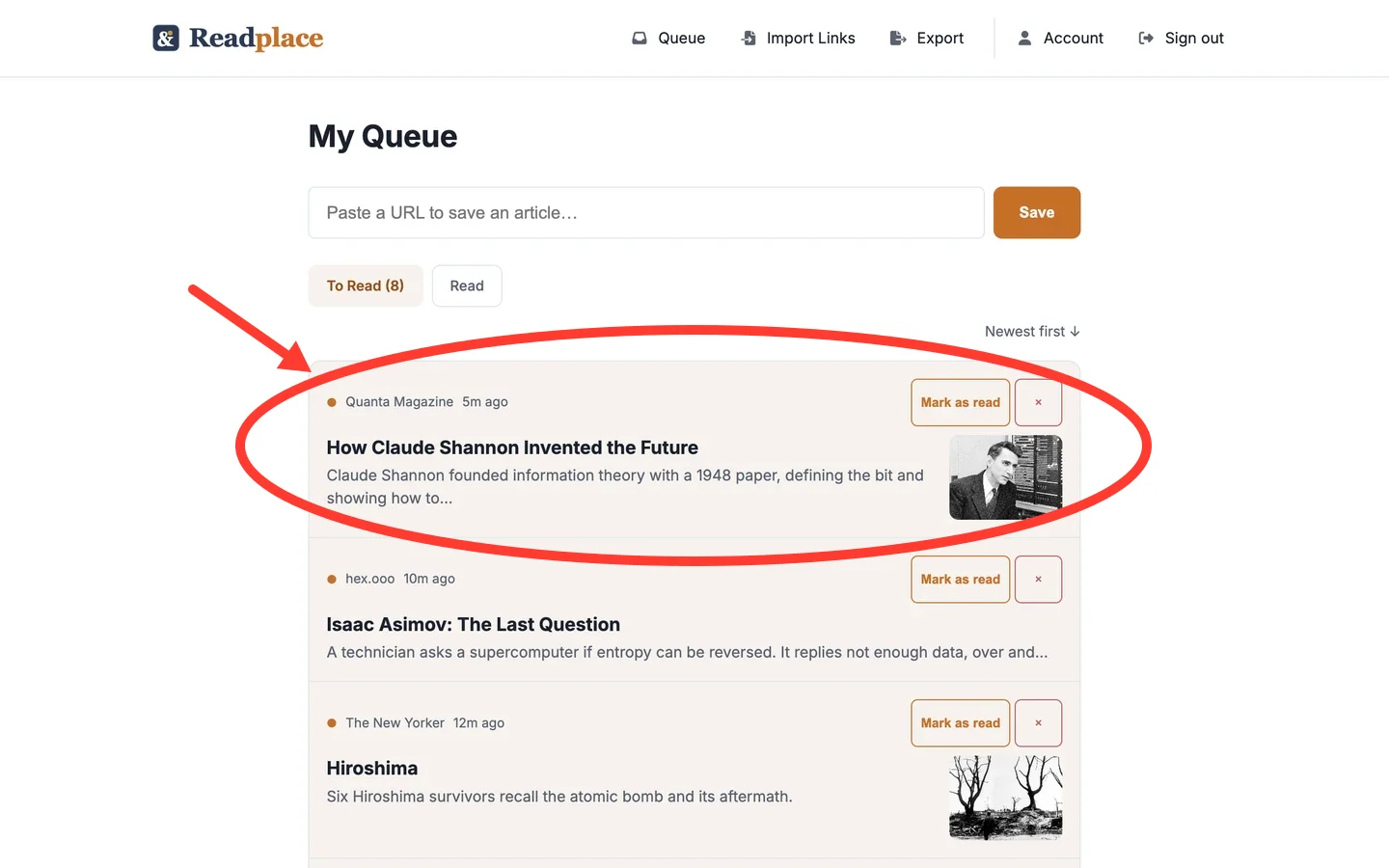
Each article link is saved to your readlist like a link you pasted yourself, with a clean copy and an AI TL;DR.
Where the articles land
Fayner Brack, Founder & CEO of Readplace, wrote js-cookie, which browsers download about 22 billion times a year, and ran her own reading pipeline for ten years before it became Readplace. Why Readplace exists.
What gets through
An issue is mostly packaging, so the sorting is the product.
Links that match the newsletter's own unsubscribe header, or a known unsubscribe or confirm pattern, are set aside before anything is fetched. They are marked done and never opened.
A language model sorts the rest into articles, ads, menus, subscription links and noise. Only articles are saved. The others wait on the Skipped tab of that email, where one click saves any of them.
Each address stands alone. You can hold up to 25, and switching one off stops that newsletter without touching the others. Switching one back on takes a click on Enable in the disabled list.
What this does not do
- An address doesn't save the email itself as an article. To keep a newsletter's whole issue in your readlist, connect Gmail and choose the issue itself for that sender.
- Attachments are dropped, so a PDF attached to an issue is not saved.
- An address only receives what is sent to it. Past issues in your inbox have to be forwarded one at a time.
- Up to 25 live addresses per account.
- A link the model labels wrongly is not saved automatically. It waits on the Skipped tab of that email, where you can save it by hand.
- Making an address needs the paid plan, which every new account has for its first 14 days.
Questions
- Does a newsletter address read my Gmail or Outlook?
- No. A newsletter address doesn't touch your inbox. Each newsletter sends straight to its own Readplace address.
- What happens to the email itself?
- It stays on its inbox page, where you can read it, and the article links in it are saved to your readlist.
- Will it click unsubscribe links?
- Unsubscribe and confirm links it recognises are never opened.
- How many newsletters can I send to it?
- Up to 25 addresses, one per newsletter.
- Can I stop one newsletter without unsubscribing?
- Yes. Switch its address off and mail to it stops being saved. You can switch it back on later.
- Do I need an account?
- Yes. Addresses belong to an account. An account is free, within daily limits, and no card is asked for; newsletter addresses are part of the paid plan, which every new account has for its first 14 days.
- What happens to saved articles if I stop paying?
- You keep reading them. The account moves to the free plan: the readlist, the reader and export keep working, and you can keep saving links within daily limits. Newsletter addresses stop saving new issues automatically, because the Inbox is a paid-plan feature.
What it costs
Newsletter addresses are part of the Inbox, which needs the paid plan. Free to use, with no card: save new links within daily limits and read everything you save. Every new account gets the paid plan for its first 14 days. Upgrade for the Inbox, Next read, Past reads, readlist purpose filtering and Gmail, without the free plan's daily limits: $60 a year ($5 a month, billed yearly) or $10 a month. Your saves stay readable and exportable, even if you stop paying.
If you never upgrade, nothing is charged and the account stays on the free plan instead of going dark — you keep every article you saved, you can keep saving within daily limits, and you can still export.
Google, Apple, or an email address. No card unless you upgrade.
Give one newsletter its own address
Takes a minute per newsletter. No card.